Client
Who you're doing the work for — name, mobile, site details.
Fencing Mate is built for busy fencing contractors. See how clients, projects, jobs, and quotes fit together before you sign up.
14-day free trial · No credit card · Built for Australian fencing trades

Project = the site and sale. Jobs = crew tasks. Quote = the price the client agrees to.
Who you're doing the work for — name, mobile, site details.
The site and the sale — Lead, Quoted, Accepted, Scheduled.
What your crew does on site — install, gates, measure-up.
What the client pays — send a link, they accept online.
From first call to crew on site — no training day required.
Save their details once — reuse on every job.
Put the customer under Clients with mobile and email. When a new enquiry comes in, you pick them from the list instead of retyping.
One project per site (e.g. “Smith pool fence, Brighton”).
Add the site address for Maps, set status to Lead, then move to Quoted when you send pricing. Accepted means they said yes.
Walk the site, run calculators, build the quote.
Use site measure on your phone, pick a fence calculator for materials, then turn it into a quote with GST. No spreadsheet required.
Client gets a link — accepts or rejects online.
They tap accept on their phone. Your project status moves to Accepted automatically. No chasing emails.
Break work into jobs, assign crew, update from site.
Add jobs with due dates — they appear on your dashboard schedule. Crew update status, photos, and progress from the paddock.

Real screens from the app — the same tools your crew gets after sign-up.
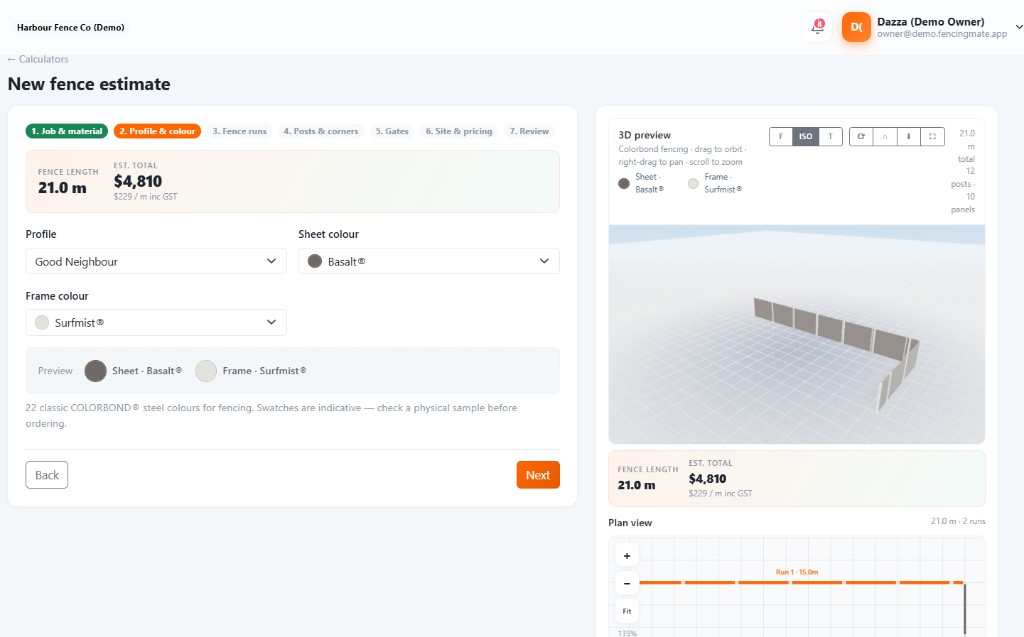
Pick Colorbond, timber, glass or aluminium — get the BOM and sell price on the spot.
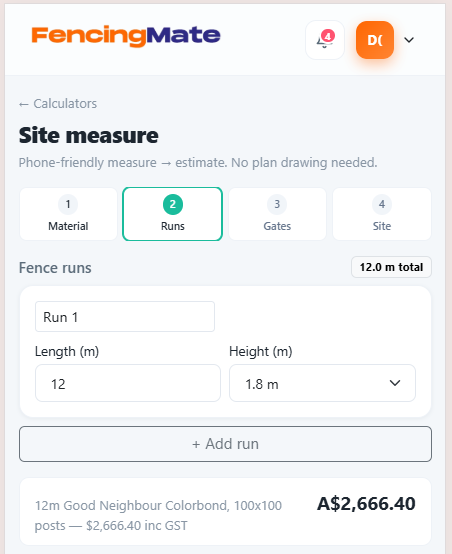
Walk the boundary on your phone. Runs, gates, notes and photos → estimate.
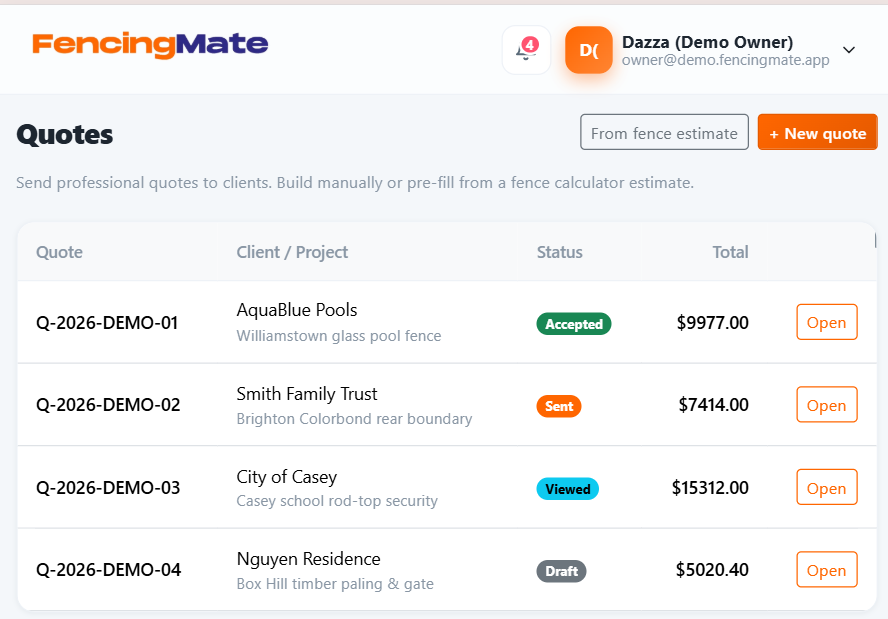
Build the quote, share a link. They accept or reject online — no chase emails.
Greeting, stats, weather, job schedule and quote follow-ups — one screen when you log in.
Tuesday 9 September — Here's what's happening on site today.
Week view — drag jobs between days, assign crew.
WorkCover and tickets in one vault. Expiry alerts before you’re caught short.
Work Cover, insurance and licences in one place. Email alerts at 30, 14 and 7 days before expiry.
A realistic day for a pool fence contractor — the kind of flow Fencing Mate is designed around.
Add client → create project → site measure on phone → calculator for glass pool fence → send quote before lunch.
Notification comes in. Project flips to Accepted. Add install job, due date Friday, assign your lead installer.
Open Maps from the job, snap progress photos, set status to In Progress. Owner sees it on the dashboard schedule.
Quick answers before you create an account.
A project is the whole site and sale — enquiry through to completion. Jobs are the pieces of work your crew runs (install, gates, measure-up). One project usually has several jobs.
The quote is marked accepted and the project status can move to Accepted. That tracks the sale. Individual jobs still have their own crew status (Ready, In Progress, Completed).
No. Start a 14-day free trial with no credit card. One plan at $20 AUD/month includes the owner account and all features, plus $2 per extra staff seat.
Yes. The app is mobile-ready — site measure, job updates, photos, and schedule work from any phone browser.
Colorbond, timber, glass pool, aluminium batten, chain mesh, and more. Calculators produce a bill of materials and sell price you can turn straight into a quote.
Yes. Every fencing business gets its own secure workspace. Your clients, quotes, and documents are never shared with other accounts.
Join fencing contractors running cleaner quotes, schedules, and site updates.